

/admin/flows/marketplace).
→ Templates are made of the same building blocks documented on Building Flows.
Browse templates
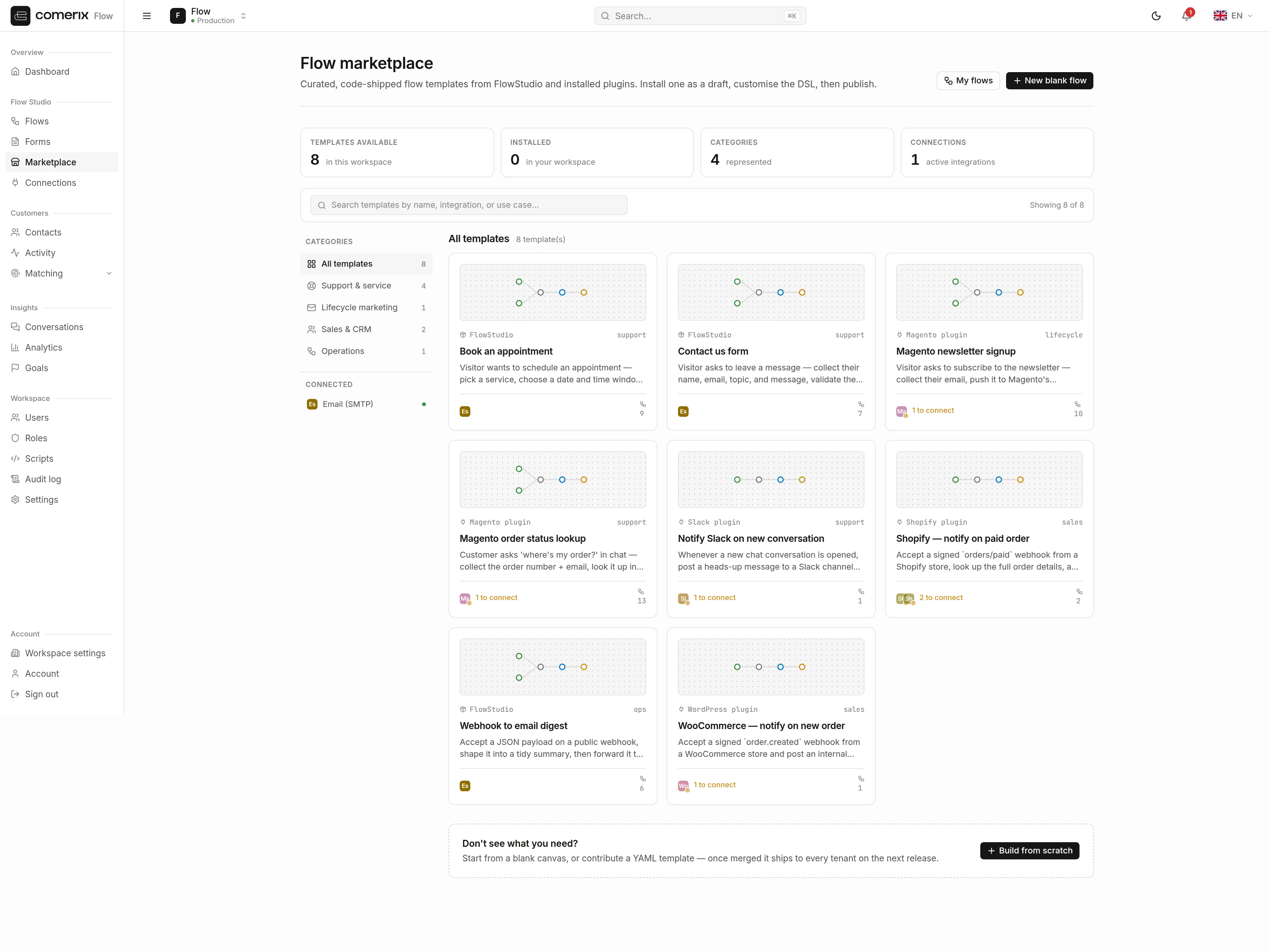
- Filter by category.
- Search by name, description, or tags.
On each card, a required connection appears green when it’s already connected for your tenant and gray when it still needs setup. Set up missing integrations on the Connections page before the flow can run.
Template detail & install
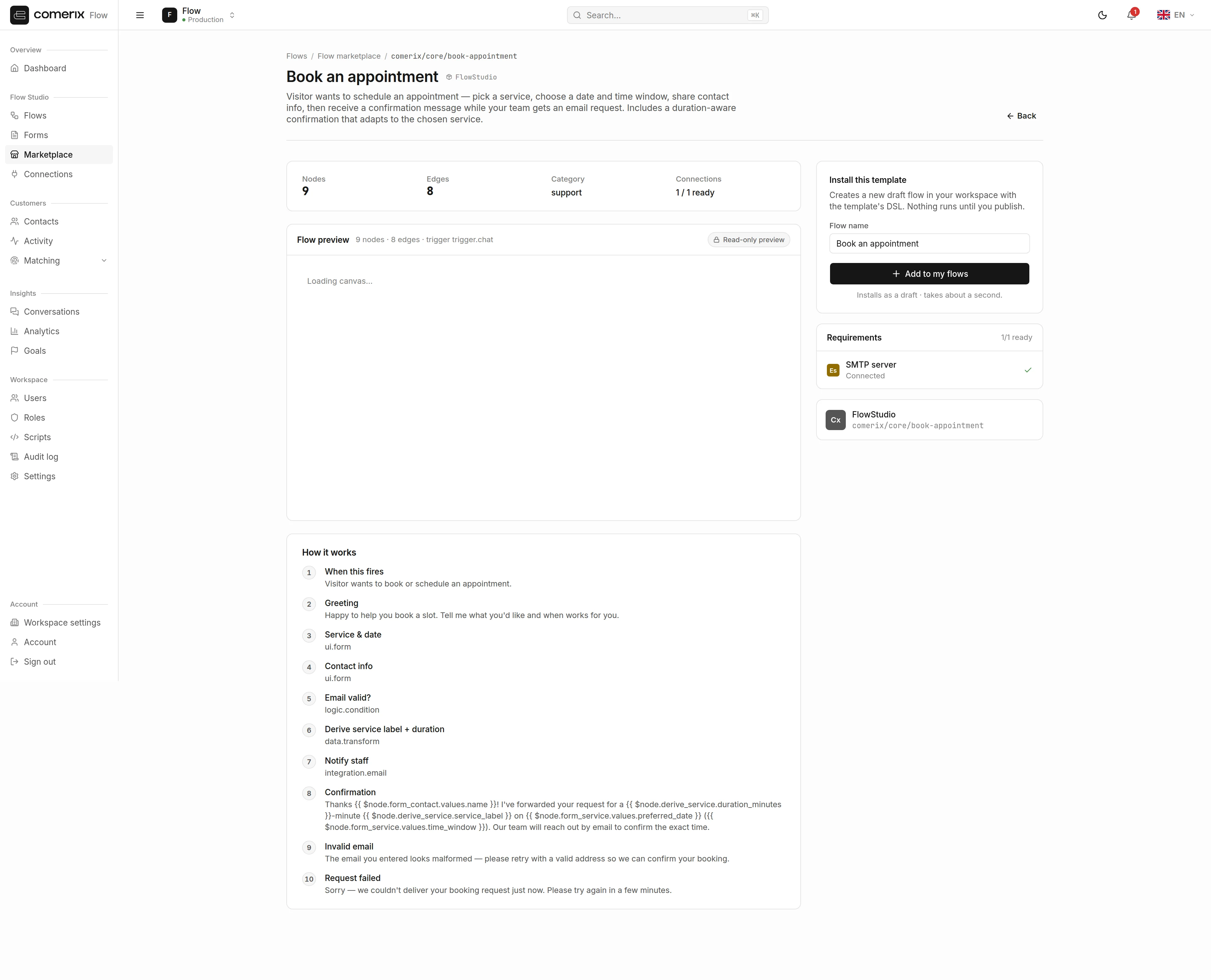
/admin/flows/marketplace/{key}) shows its full requirements and an optional name override.
- Review the required connections.
- Optionally change the name the installed flow will use.
- Click Install.
Permissions
| Action | Permission |
|---|---|
| Browse the catalog & view a template | comerix.flows.view |
| Install a template | comerix.flows.manage |
Part of the Comerix Flow admin guide. See also: Building Flows, Forms.